sinardunia88Android & iOS App
Mobile betting and casino gaming in Southeast Asia now reaches millions of users via smartphone apps and browsers. We at sinardunia88 offer both Android APK and iOS web-app versions so you can access Liga 1, Piala AFF, Champions League markets, live blackjack, roulette, and slot games like Aviator and Sweet Bonanza from your device. Our app is designed for speed, security, and ease of use across different device types and screen sizes.

- DownloadAPK
- StartFirst Game
- Installin
- LoginOTP Verification
We provide multiple paths to access sinardunia88. Android users can download our APK directly; iOS users access the platform through a responsive web app; desktop and laptop users can also use the full web interface. Each path offers the same account, balance, and betting slip — your session syncs across devices. Our app supports fast deposit and withdrawal via DANA, e-wallet, mobile banking, local payment, and online payment.
Our sinardunia88 app is available only where local law permits. Users are responsible for verifying that access and use comply with their own jurisdiction's law. We provide English-language support, secure account verification, and straightforward KYC (Know Your Customer) document handling to keep your account safe.
Download and Install sinardunia88
Getting started with sinardunia88 takes just a few minutes. Choose your device type, download the app or open the web link, and register your account. We keep the process simple: provide your username, email, password, mobile number, and accept our terms. Once verified, you can deposit funds and start using our platform.
Installation overview
- Android users: download APK from our app page, enable unknown sources, and install
- iOS users: open the web app directly in Safari or Chrome — no App Store download needed
- Desktop users: visit sinardunia88.app and log in with your credentials
- All paths sync to one account — your balance and bets are the same everywhere
Installation steps for sinardunia88
-
1
Download the appStep 1
For Android, download the sinardunia88 APK file from the app link on our website. For iOS, open the web app directly in your browser without an App Store installation.
-
2
Install on your deviceStep 2
Android users must allow installation from unknown sources in settings, then tap the APK file to install. iOS and desktop users skip this step — the web app runs in your browser immediately.
-
3
Register or log inStep 3
Open the sinardunia88 app and create a new account with your email, username, password, and mobile number. If you already have an account, log in with your credentials.
-
4
Deposit and startStep 4
Complete your account verification by uploading required documents. Then deposit funds via DANA, e-wallet, mobile banking, local payment, or online payment. Your balance is ready immediately for betting and gaming.
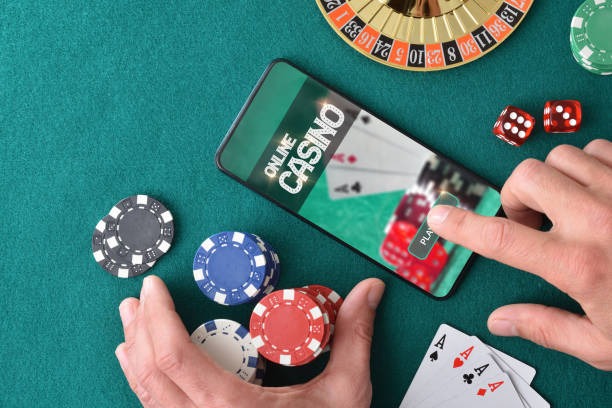
App vs Browser on sinardunia88
Both our native Android app and the iOS web app provide the same betting markets, live casino games, and payment options. However, they differ slightly in experience. Our sinardunia88 Android app stores some data locally, so games and betting slips load faster even on slower connections. The app also sends push notifications when your withdrawal is processed or when a football match you watched starts (Liga 1, Piala AFF, Champions League fixtures). The web app works on all devices — Android, iOS, Windows, Mac — and requires no installation, making it ideal if you prefer simplicity or have limited storage space. Both paths keep you logged in across sessions, so you can switch between app and browser without re-entering credentials.
Device compatibility for sinardunia88
Our sinardunia88 app supports Android 7.0 and later. Most Android phones released in the last five years meet this requirement. iOS users need iOS 12 or later; again, most modern iPhones qualify. Desktop users can run sinardunia88 on Windows, macOS, or Linux via any modern browser — Chrome, Safari, Firefox, or Edge. If your device is older or unsupported, you can still use our web app by visiting sinardunia88.app directly.
Troubleshooting common install issues
If your Android phone blocks the APK installation, check that you have enabled "Install from unknown sources" in your device settings under Applications or Security. Some Android versions call this "Unknown app installation" or "Allow from this source." If you see a certificate warning, this is normal for our APK distribution method — we use a secure certificate that your device may not recognize on first install. Tap "Install anyway" or "Proceed" to continue. If the app crashes on launch, try clearing your device cache or restarting your phone. For iOS web-app users, if the page does not load, clear your browser cookies and cache, then reload. If problems persist, contact our English-language support team via in-app chat or email — we respond within one business day.

Data, permissions, and account security on sinardunia88
Our sinardunia88 app requests permissions only for essential functions. On Android, we ask for internet access to connect to our servers and storage access to cache game data locally. We do not access your contacts, photos, or location without your consent. All data sent between your device and our servers is encrypted using industry-standard TLS (Transport Layer Security), the same technology banks use. Your password is never stored on your phone in plain text. When you log in, we issue a session token that expires after a period of inactivity, requiring you to log back in for security. Your account is also protected by KYC verification — we confirm your identity using your email and phone number, and may request additional documents during account creation or large withdrawals. For more information on how we handle your data, see our privacy policy
Tips for Using sinardunia88
Start by exploring the platform while logged in to understand the layout. Visit the Sports section to view current Liga 1, Piala Indonesia, and Piala AFF markets. Check the Live Casino tab to see available blackjack, roulette, baccarat, and Dragon Tiger tables. Browse Slots to try games like Aviator, Sweet Bonanza, Gates of Olympus, and Mahjong Ways. Our sinardunia88 support team is available in English through in-app chat, email, or phone during our standard response window (one business day for replies). If you have questions about withdrawal timelines, payment methods (DANA, e-wallet, mobile banking, local payment, online payment, e-wallet, mobile banking, local payment), or account recovery, ask our team anytime.
Our services are available only where local law permits. Users are responsible for verifying that access and use comply with their own jurisdiction's law. We recommend reviewing our terms and conditions and legal notice before using sinardunia88 to ensure you understand the platform fully.
We at sinardunia88 are committed to keeping the app stable, secure, and up to date. Check for app updates periodically in the Google Play Store (Android) or your browser's app menu (iOS web app) to ensure you have the latest version with the newest features and security patches. Enjoy using sinardunia88 responsibly and within your local jurisdiction's regulations.